
Feb 11, 2026
More Flexible Scheduling for Weekly Routines
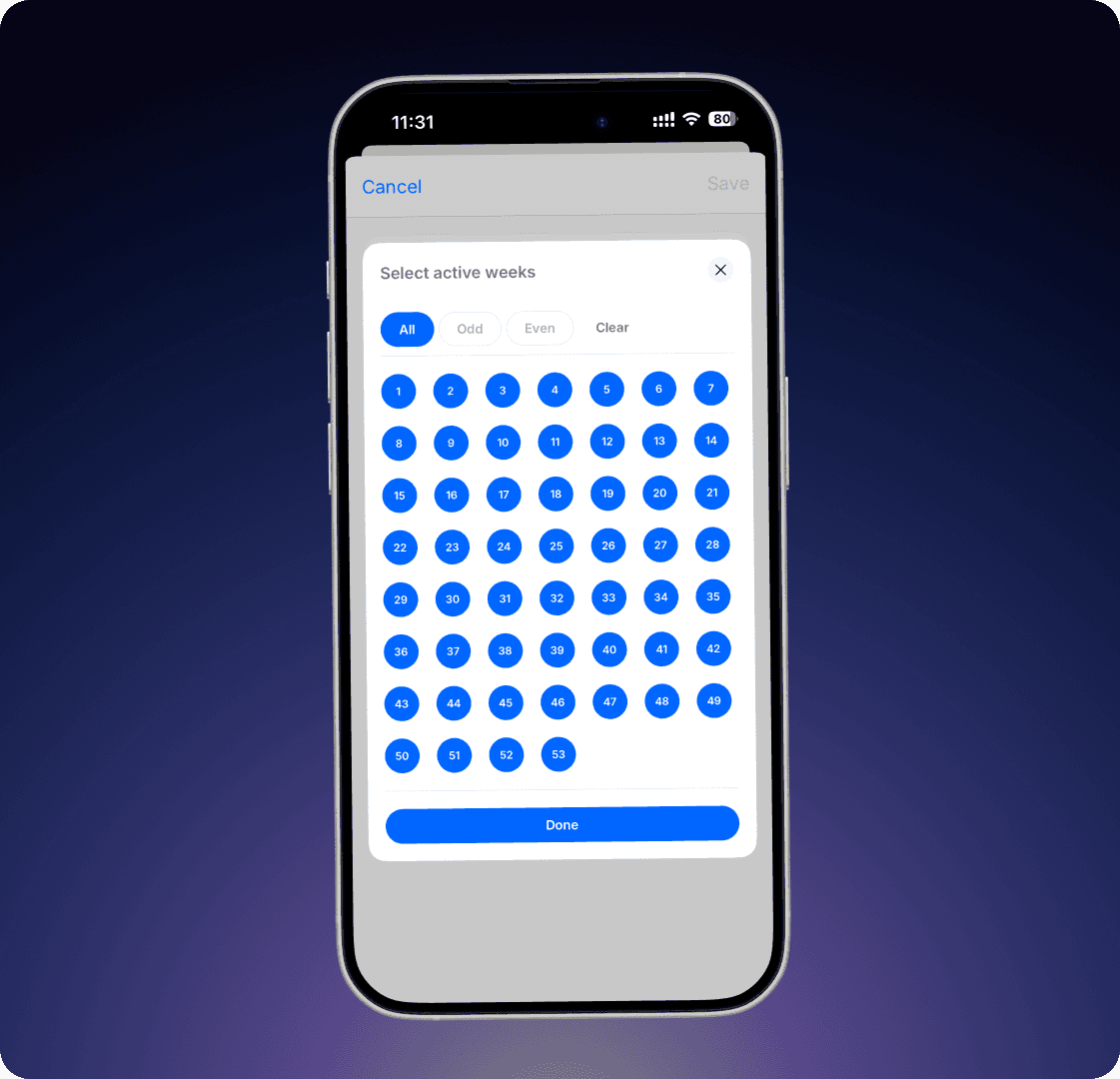
Weekly routines can now be adapted to match the reality of your operations. Instead of running every week, you can choose exactly which weeks a routine should be active — for example, even or odd weeks, or only during a specific period of the year. This makes it easier to manage seasonal routines and recurring tasks that don’t follow a strict weekly pattern.
Learn more
Recurring Checklist That Needs to Be Done Regularly
Recurring Checklist That Needs to Be Done Regularly
⚠️ To make changes to Workflows, you need “Operations Manager” or “Superadmin” permissions.
1. Select the relevant team.
2. Click on ⚙️ in the top-right corner and choose Edit Team Schedule.
3. Select the frequency fits your needs and click +.
4. Provide a title for the checklist, set the scheduling details, and select Checklist as the type.
5. Add the checkpoints that should be included.
6. You can also create sections, add descriptions, and include images to make the checklist clear and organized.
⚠️ För att göra ändringar i Körschemat behöver du ha behörigheten “Driftansvarig” eller “Superadmin”.
Välj först den ansvariga avdelningen. Klicka på ⚙️ i det övre högra hörnet och välj Körschema. Välj den typ av rutin som passar och klicka på +. Ge checklistan en titel, vilken schemaläggning den ska ha och välj Checklista. Skriv in de kontrollpunkter som ska vara med. Det går att skapa sektioner, lägga till beskrivning och bild.
Recurring tasks that need to be done regularly
⚠️ To make changes to Workflows, you need “Operations Manager” or “Superadmin” permissions.
1. Select the relevant team.
2. Click on ⚙️ in the top-right corner and choose Edit Team Schedule.
3. Select the frequency that fits your needs and click +.
4. Provide a title for the task, set the scheduling details, and specify whether a checkmark is required when the task is completed.
5. You can also add an image, a description, or attach a quick reference guide.
⚠️ För att göra ändringar i Körschemat behöver du ha behörigheten “Driftansvarig” eller “Superadmin”.
Välj först den ansvariga avdelningen. Klicka på ⚙️ i det övre högra hörnet och välj Körschema. Välj den typ av rutin som passar och klicka på +. Ge uppgiften en titel, vilken schemaläggning den ska ha och om det ska krävas en bock när uppgiften är utförd. Det går också bra att lägga till bild, beskrivning eller bifoga en lathund.
Latest